Casino
  Sports
  Sign up
  Bonuses
  Activites
NineWin Login and Registration Instructions for New Users
UK residents can sign up and do a NineWin login easily to discover 4,000+ titles. This will give you your own dashboard or profile where you manage your funds, track your gaming statistics and personalise your gameplay with responsible gaming tools. Our 24/7 support is ready to help you solve any sign-in issues. The sign-up also gives you credentials that protect your account, meaning someone would need those details to access your account and winnings. We keep your information safe with SSL encryption, firewalls and advanced technology.
Guide for Making an Account Before the NineWin Login
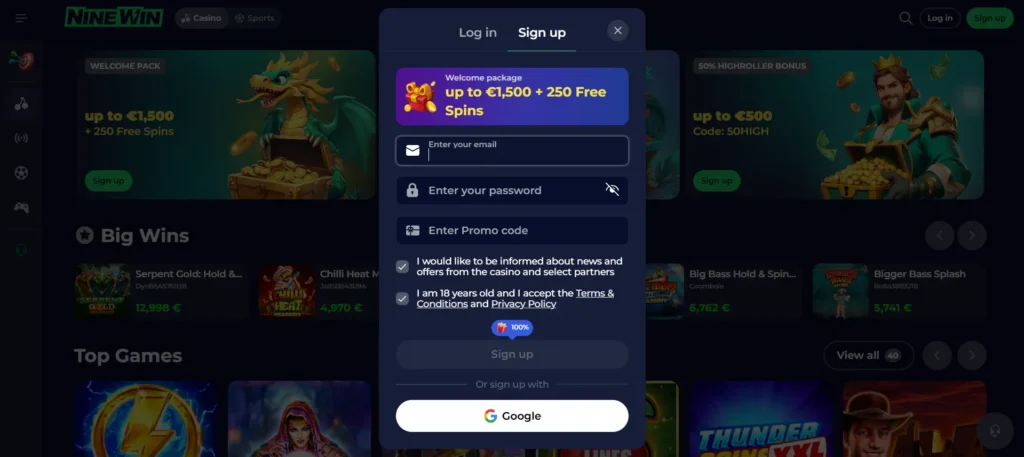
It takes about two minutes to create your profile. Here is how:
- Click the sign-up button next to the NineWin Casino login: It will open the form to enter your details.
- Enter your personal data: Paste your email in the first field and create your password in the second field. Your password should have eight characters.
- User terms and promo acceptance: Check the box indicating that you agree to our T&C. Check the other box to receive promo notifications in your email.
- Sign up: Click the sign-up button to submit the form. You can then complete your profile using your name, home address and other personal details.
You can also sign in with your existing Google account, which will take seconds.
Requirements for Registration
You must meet specific requirements to sign up and do a Nine Win Casino login. These include:
- Age requirement: The minimum qualifying age for users to join our site is 18. This is the minimum limit as defined by the UK gaming laws.
- Valid email: Email serves as your username while logging in. We also communicate important information through email.
- Verification documents: While you don’t need these immediately, we will ask for them later. The documents should match your sign-up details.
- Valid payment method: You can only use a payment method registered in your name to fund your account.
Casino Account Verification
UK residents who undergo registration must verify their accounts after the first NineWin UK login. It keeps your account safe and is a legal requirement. The step helps prevent underage gaming, money laundering and fraud. Verifying your account also unlocks the withdrawal feature. Here are areas to verify for your profile to gain a verified status.
| Identity check | Residence check | Payment check |
|---|---|---|
| Users must upload documents that prove their identity. We accept a driving licence and a Citizen Card. The information should match the information provided during registration. | We need to confirm that you are a resident of the UK. Take a photo of your utility bill. The document should show your home address and all four corners. | Take a photo of your payment method after the NineWin login casino. This information will prove whether you used your payment method to fund your account. |
NineWin Casino Login Process
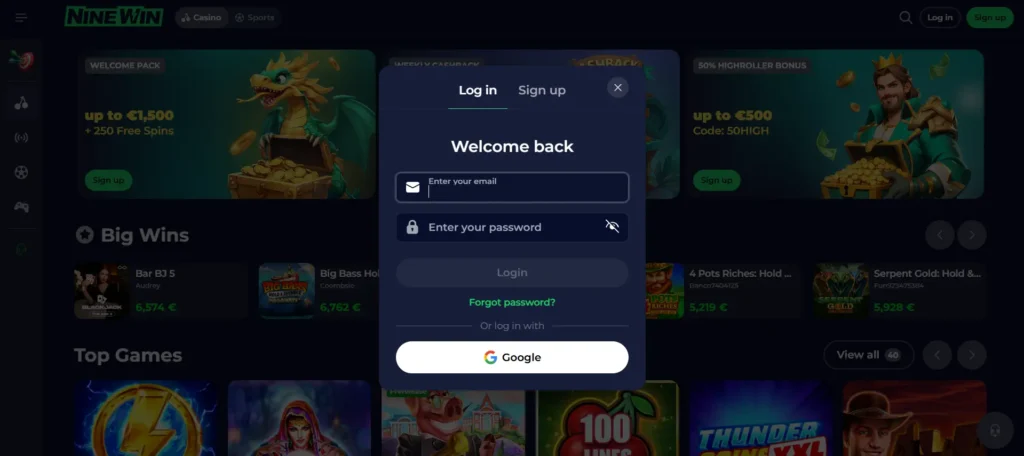
Logging into your account takes less than 30 seconds. Here is how to do it:
- Open the sign-in form: Find the “Login” button in the top-right corner of the screen on your phone or desktop.
- Fill in the fields: Provide the email and password that you shared while creating your account.
- Hit the login button: Finish the sign-in. You will land on your dashboard.
- Sign in via Google: If you registered using your Google account, click Google and enter your password.
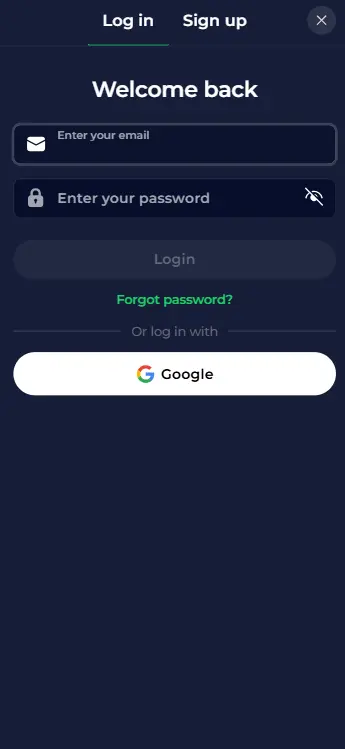
The sign-in details keep your profile secure. Don’t share them with your friends or family. Nine Wins Casino login gives you access to real money games. You can replenish your account, seek assistance from customer support, update your profile and access other features.
Sign-In Procedure via Mobile App
You can sign in via our mobile app. The process starts with launching the app, finding the login tab and entering your email and password. You should gain access to your account instantly if you have signed up previously.
Our mobile software is a progressive website application that mirrors the PC version. It has the same features as the desktop version, including sign-in fields. As such, you can use your existing credentials for NineWins login registered during the sign-up stage. You can use the Remember Me feature to quickly log in the next time you want to play Thunder Crown or Chicken Cross.
Personal Details
Residents of the UK must provide personal details during registration. These include your email, name and house address. You will share more details to verify your account. We understand that this data is confidential and treat it like so. Our platform uses SSL and TLS encryption, a technology that ensures that your information is encrypted during transfer or while stored in our servers.
No one can access or share your information and your NineWin Casino UK login once it’s on our servers. We don’t share it with marketing groups for profit, either. We protect your personal details in accordance with the General Data Protection Regulations (GDPR).
Nine Win Casino Login Issues You May Encounter
Some problems might prevent players from logging in. These include:
| Issues | Solutions |
|---|---|
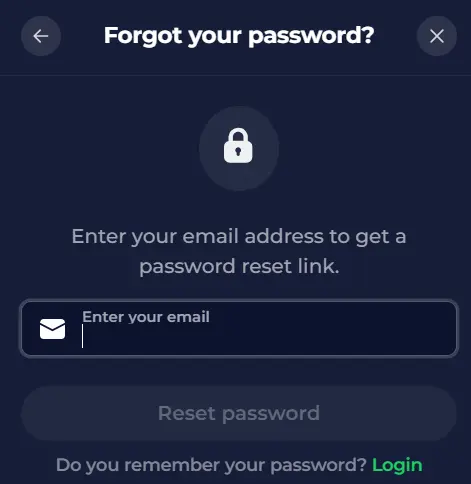
| Incorrect username and password | Start by checking the spelling of your credentials. You can use the “Forgot Password” link on the login window to create a new password. |
| Pending verification | Failing to upload verification documents when asked might lead to temporarily blocking your Nine Win Casino UK login. Contact customer support and upload the requested documents. |
| Geo restriction or VPN | You can access this site without a VPN. Simply switch off your VPN and try logging in again. |
| Browser cache problem | Clear your browser cache and re-enter your sign-in credentials. |
| Site maintenance | We perform regular site maintenance, which doesn’t take long or affect your access to your account most of the time. Try to sign in a little later. |
How to Delete an Account
When you need to delete or deactivate your account, we guarantee not to give you a hard time. We provide two options for the Nine Win login: temporary and permanent solutions. A temporary solution is where you use the self-exclusion tool. You can set how long you want to stay away from your profile. Your sign-in details will not work during this period.
The permanent solution involves closing your account permanently. Reach customer support via live chat or email. An agent will ask for a few details, including ID or a driving licence, to satisfy account deactivation requirements. Your account will be deactivated within 72 hours. The good news is that you can return to the platform by completing another sign-up process.